
Run your first race
One race at your gym, start to finish. You'll use two screens: the coach app at coach.ar3na.app and your gym's TV.
Before race day
Do these once.
Step 1: Set your race times
coach.ar3na.app · Settings · Race times
Every race opens in one of your race times. Tap + Add slot for each class you'll race in, then Save Schedule.
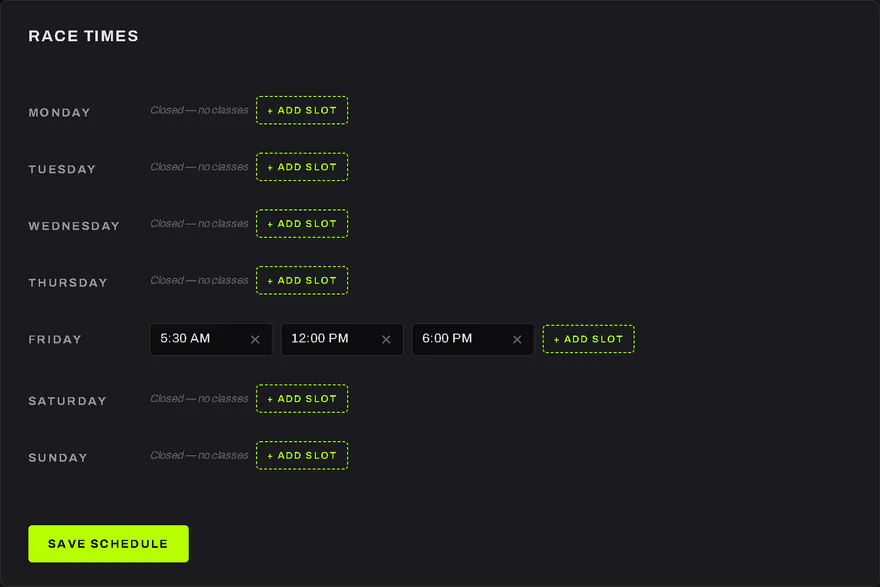
- + Add slot adds a race time.
- Save Schedule keeps them.
Step 2: Set your coach PIN
coach.ar3na.app · Settings · Arena
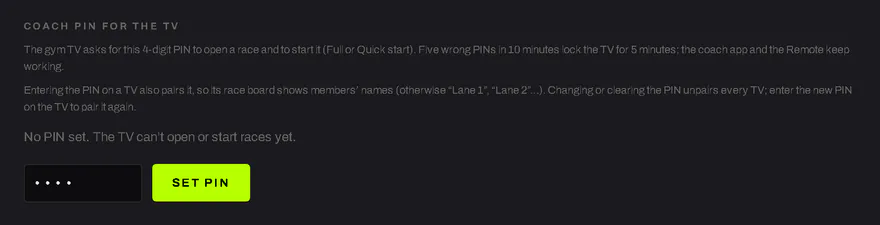
Choose a 4-digit Coach PIN for the TV and tap Set PIN. The TV asks for it to open, start and close a race. Five wrong PINs in 10 minutes lock the TV for 5 minutes; the coach app keeps working. Changing the PIN unpairs every TV.
![The Coach PIN for the TV setting in the coach app: what the PIN does, a 4-digit field and the Set PIN button.]()
- Your 4 digits.
- Set PIN saves it.
- This line says whether a PIN is set.
Step 3: Pair your TV
Your gym's TV
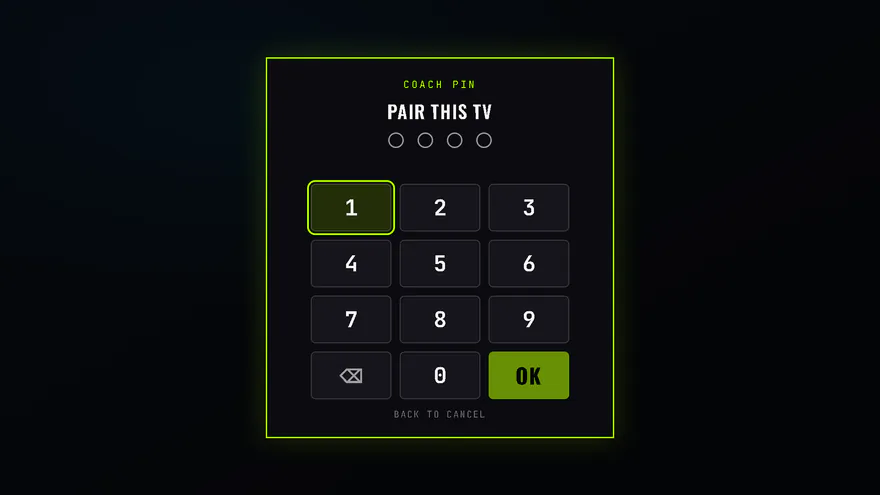
Open your gym's TV link (we send it when you join) in the TV's browser. Press the gear, choose Pair this TV and enter your coach PIN. A paired TV shows the join QR and your racers' gamer tags. Entering your PIN to open or start a race pairs it too.
![The TV's Pair this TV keypad, asking for the coach PIN.]()
- Enter your coach PIN with the remote.
- Back cancels.
Step 4: Get your members on the app
Their phones · ar3na.app
Members race on their own phones. They add ar3na.app to their home screen (Get the app shows how) and join your gym by scanning the QR on your TV.
Get the app →
Race day
This guide uses CHASE, the 20:00 AMRAP. SOLO and SHIFT60 run the same way, but they're for time and end at the finish or the cap.
Step 5: Open the lobby
coach.ar3na.app · Arena
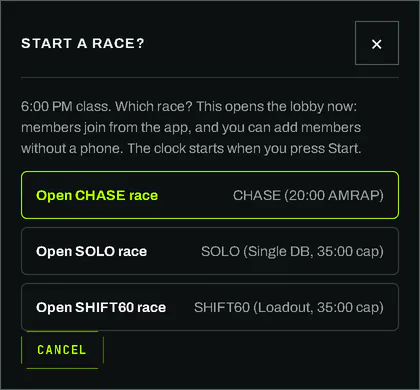
Tap Start a race now, pick today's class, then Open CHASE race. The lobby opens on the TV and members can join. Nothing starts until you press Start. Planning ahead? Plan a race opens the lobby by itself, 30 minutes before class.
![The coach app's Start a race? box, with a button for each workout.]()
- Open CHASE race opens the lobby now.
Step 6: Racers join
Your TV
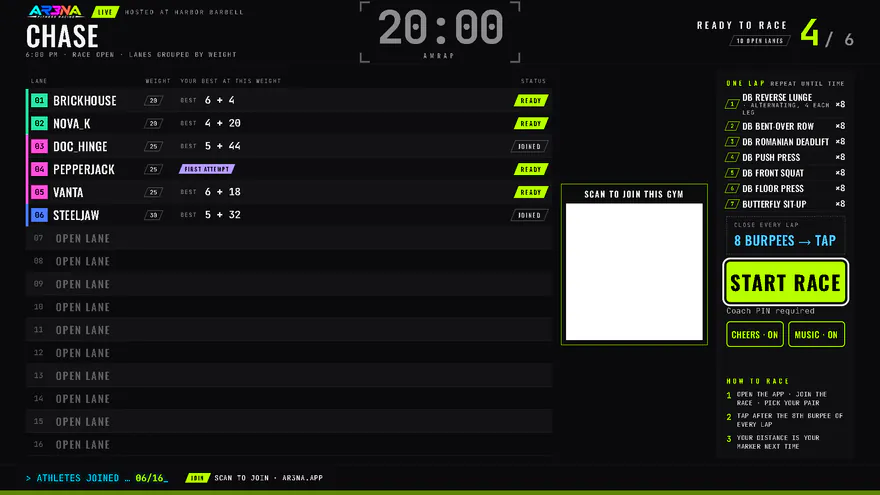
Racers scan the QR on the TV, tap Join race, pick their weight and tap I'm ready. Each one shows up on the TV. Someone without a phone? Add member without phone, in race control.
![The race lobby on the TV: where the join QR shows (blank in this picture), how to race, the racers who have joined, and the Start race button.]()
- The join QR shows here. Racers scan it with their phone's camera.
- How to race, for your racers.
- Everyone who has joined, and who's ready.
- Start race, when everyone's ready.
Step 7: Start the race
Your TV
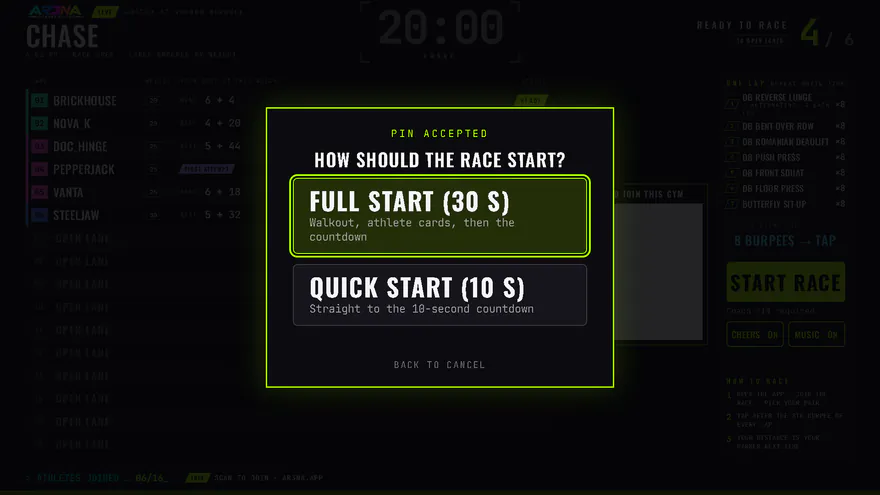
Press Start race and enter your PIN. Choose Full start (30 s: walkout, athlete cards, then the countdown) or Quick start (10 s: straight to the countdown). On the floor? Phone remote, in race control, puts Start and End race on your phone.
![The TV after the PIN: How should the race start? with Full start and Quick start.]()
- Full start: walkout, athlete cards, then the countdown.
- Quick start: straight to the countdown.
Step 8: During the race
Your TV · coach.ar3na.app · race control
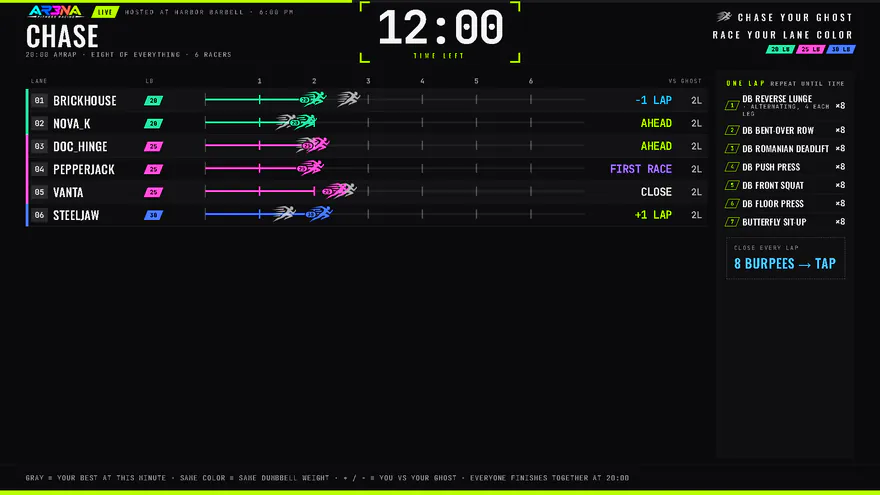
Racers tap their own laps. The TV counts down from 20:00 and shows each racer against their ghost: their best at that weight. Changed weight or a modified movement? Switch that racer to Modified in race control: they keep racing, unranked. A phone died? + Lap adds a lap for them. It's for emergencies only.
![The live race on the TV: the time left, each racer as a runner in their weight's color with a gray ghost beside them, and how far ahead or behind their ghost each one is.]()
- The time left.
- Each racer runs in their weight's color. The gray runner is their ghost.
- Ahead of their ghost, close, or behind it.
Step 9: TIME and reps
Racers' phones · your TV
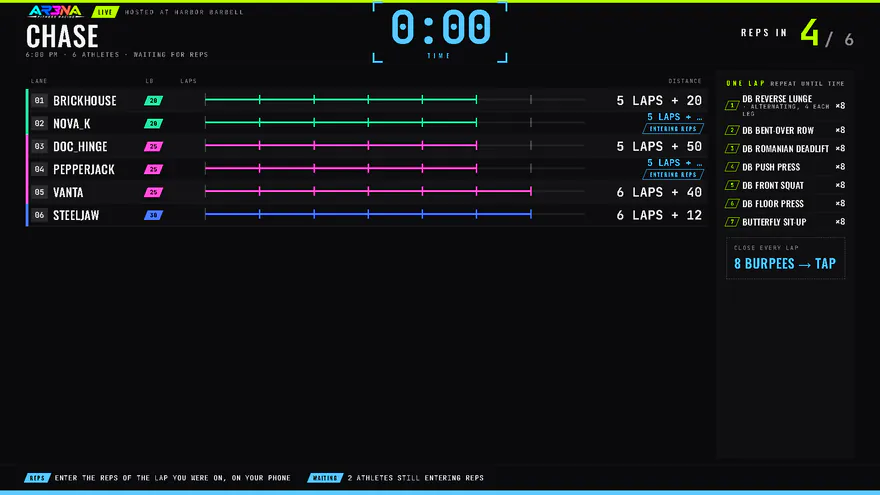
At 20:00 everyone stops together. Each racer enters the reps of the lap they were on, on their phone, and the TV shows Reps in. Missed tap? From 20:02, + Late lap in race control adds it; then correct their reps.
![The TV after TIME, waiting for reps: how many racers have entered theirs.]()
- Reps in: who has entered their reps.
- What your racers do now.
Step 10: Close the race
Your TV, or coach.ar3na.app · race control
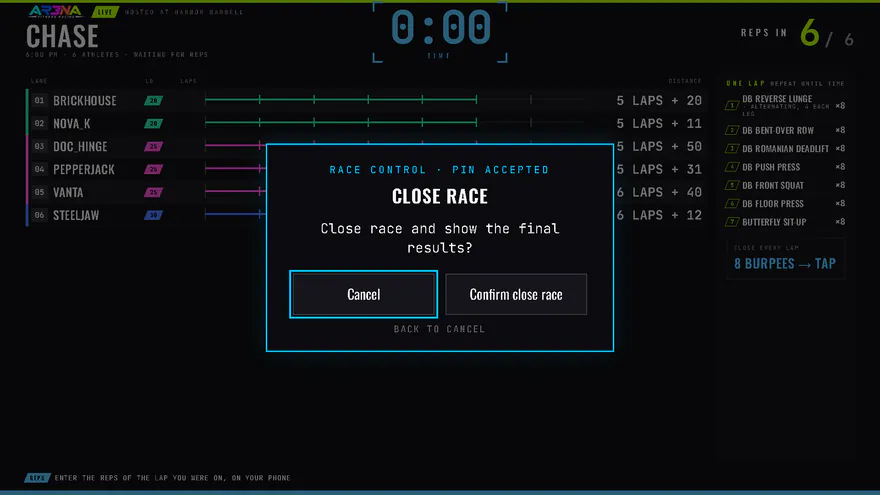
When every racer's reps are in, or the reps window shuts, close the race. On the TV, press OK, enter your PIN, then Close race and confirm. Or tap Close race in race control. Add any missed lap first: laps can't be added after Close.
![Race control on the TV after the PIN, offering to close the race, with Cancel selected.]()
- Close the race.
- Cancel is selected first, so a stray press closes nothing.
Step 11: Results and the Finisher
Your TV
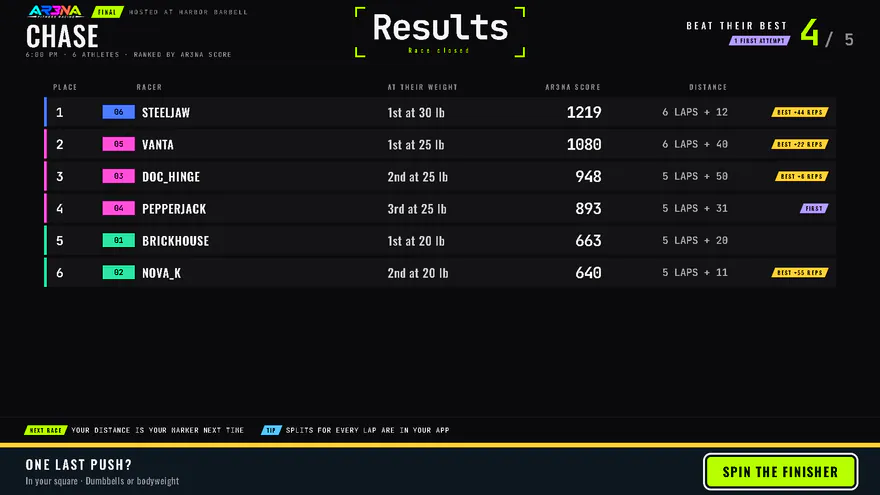
The results stay on the TV for 10 minutes, ranked by Arena Score, with each racer's distance at their weight. Press SPIN THE FINISHER for one last push in your square. Want them back later? Open the race's results in the coach app and tap Show on Board.
![The final results on the TV, ranked by Arena Score with each racer's distance, and the Spin the Finisher bar.]()
- Ranked by Arena Score.
- Each racer's distance at their weight.
- Spin the Finisher for one last push.
If something goes wrong
- The TV says "Pair this TV to show the join QR."
- Press Pair this TV and enter your PIN.
- Wrong PIN, and the TV locked?
- Wait 5 minutes, or run the race from the coach app.
- Need to stop early?
- End race in race control. In CHASE, ending before 20:00 means no one finishes: no places, XP or bests.